

Small and medium-sized enterprises (SMEs) in Pakistan can apply for business loan online through SMEConnect, a digital portal launched by the State Bank of Pakistan (SBP) to connect businesses with banks.
The platform allows business owners to register their details, verify their business bank accounts and submit financing applications online.
From 1 November 2026, SME financing applications will be received exclusively through the portal, according to the information provided.
The portal is available in English and Urdu. However, submitting an application does not guarantee approval, as banks will assess each request before making a decision.
How to apply for small business loan via SMEConnect
Business owners can follow these five steps to submit a financing application.
1. Register on the portal
Visit the official SMEConnect website: https://smeconnect.sbp.org.pk/
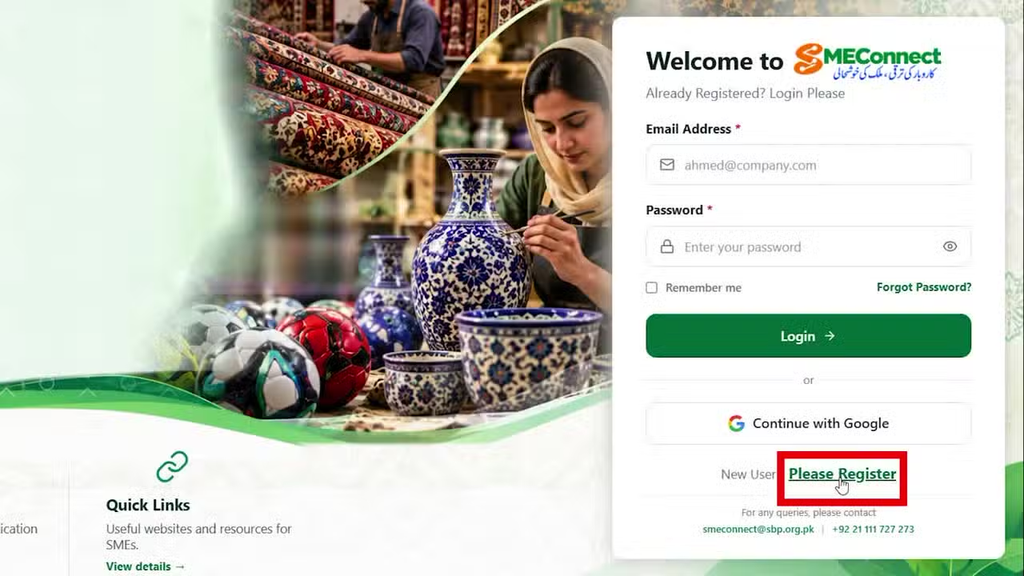
New users should select “Please Register” and provide their full name, mobile number, email address, gender, CNIC number and password. They must then enter a security code sent to their email address or mobile number to complete registration.
Existing users can log in using their credentials or continue with Google.
2. Verify your business bank account
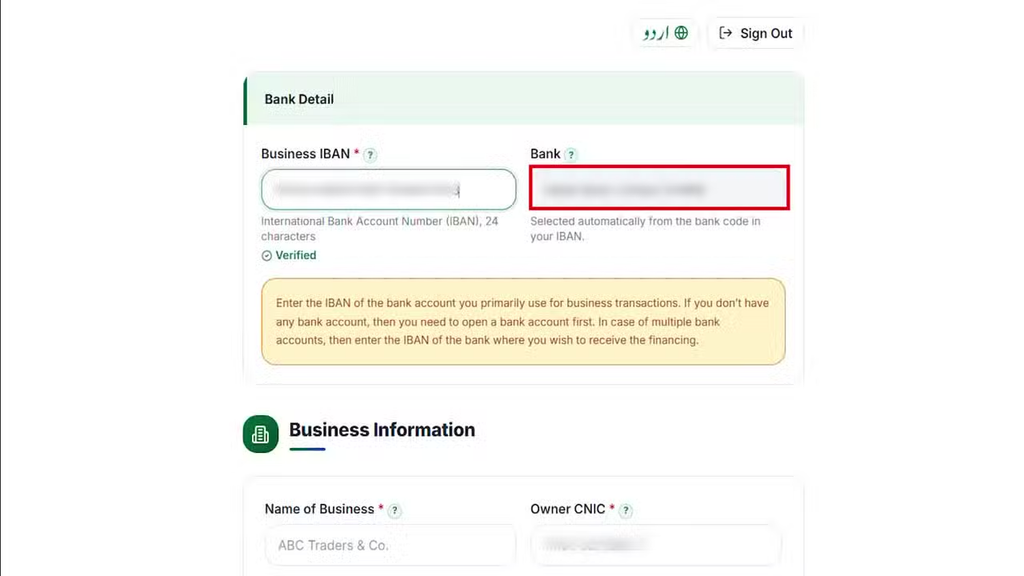
Enter the International Bank Account Number (IBAN) of the account primarily used for business transactions.
The portal will identify the bank and verify the account details. Applicants who do not have a bank account must open one before proceeding.
If a business has accounts with multiple banks, the applicant should enter the IBAN of the bank from which they want to obtain financing.
3. Enter your business details
After verification, complete the business profile. The portal asks for information including:
· Business name and owner’s CNIC
· Business email address and nature of business
· National Tax Number (NTN)
· Business status and address
· Year of establishment and annual sales
· Business premises and registration authority
Review the information and select “Save & Continue” to confirm the business profile.
4. Submit a financing application
From the dashboard, select “Apply for New Financing”.
The application process has three stages: business information, financing details and review.
Applicants must provide the requested financing information, including the type of financing, the amount required and the repayment period. Islamic financing is among the options shown in the platform’s tutorial.
5. Review and submit the application
Check all the information before submitting the application. Users who need more time can save their application as a draft and return to it later.
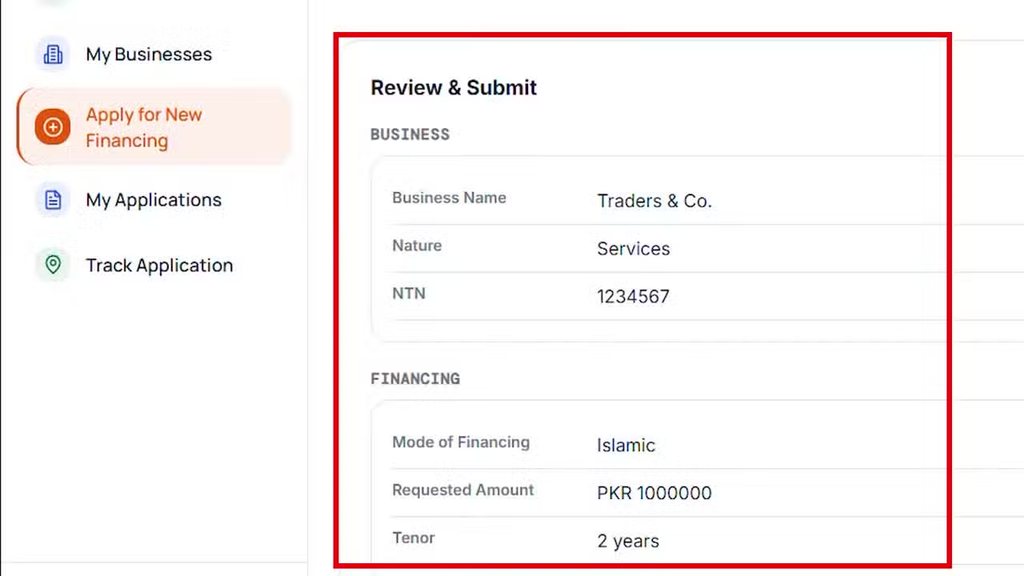
To complete the process, select “Submit Application”, read the undertaking and click “Agree & Submit”.
The portal will display an application reference, including a case ID, submission date, assigned bank and application status.
Applicants can use the “Track Application” option on the portal to monitor progress.
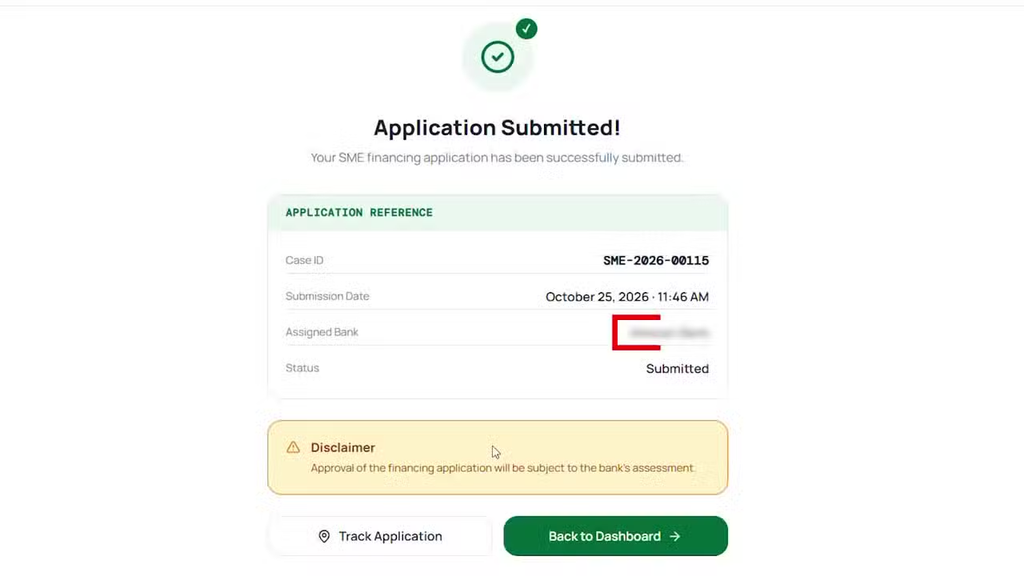
The relevant bank may contact applicants using the mobile number or email address provided during registration for further processing.
The portal dashboard also displays applications that are in draft, submitted, under review, approved, rejected or disbursed.
Financing approval remains subject to the bank’s assessment. Applicants should ensure that all information and supporting documents are complete and accurate.
For assistance with SMEConnect, applicants can contact the portal’s support team:
· Website: https://smeconnect.sbp.org.pk/
· Email: smeconnect@sbp.org.pk
· Helpline: +92 21 111 727 273
Complaints can also be submitted through the SBP’s Sunwai portal or mobile app.

