
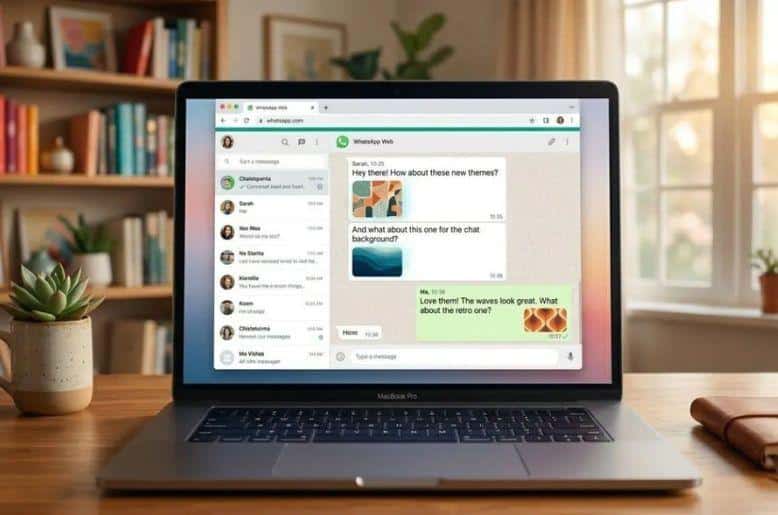
Do you look at the same plain screen every time you open WhatsApp on your computer? You are not alone. Millions of people use this platform every day to talk to friends, family, and coworkers. A fresh look can make these conversations much better. A brand-new WhatsApp web chat theme update is coming soon. This update brings massive changes to how your messages look on your screen.
We will break down exactly what this update means for you. You will understand the new color choices, the privacy features, and how this compares to the old ways of changing your screen colors.
A massive change for computer users
For a very long time, people asked for better ways to customize their screens on computers. Mobile app users always had more choices. Now, the developers are bringing a massive update to the web version. They are testing a major release that gives you total control over your chatting experience.
You will soon get rid of the boring default colors. Instead, you will create a personalized space for every single person you talk to. This is a big deal for anyone who spends hours typing on their keyboard. Let us look at the exact details of the upcoming features.
What is the new WhatsApp web chat theme update?
The upcoming update completely changes your computer screen experience. It introduces powerful tools to make your conversations colorful and unique.
49 fresh color options
The biggest part of this update is the sheer number of choices. You will get 49 different chat themes. These are not just basic colors. The update includes default shades, tonal varieties, and minimal options.
You can change the color of the message bubbles themselves. Your messages can be blue, pink, green, or any other color you like from the new list.
Custom looks for every single chat
Right now, if you change your background, it changes for everyone. The new update fixes this problem completely. You get per chat customization. This means you can set up a green WhatsApp web chat theme for your family group. You can then set a calm blue theme for your boss.
You can give every friend a different color based on their personality. The developers are also adding matching backgrounds. When you pick a bubble color, the background wallpaper matches it perfectly.
Total privacy for your screens
You might wonder if other people will see your new colors. The answer is no. These personalized themes are totally private. Only you will see the bright pink bubbles or the dark blue backgrounds.
The person on the other side of the screen will only see their own chosen colors. This gives you the freedom to pick any color you want without worrying about what your friends think.
Current ways to change your screen look
Before this new official update arrives, you only have a few basic ways to change your screen. Let us look at what you can do right now.
Basic light and dark modes
The easiest way to change your screen today is by using the basic light and dark modes. You can find this by clicking on Settings and then choosing Theme. Light mode is the standard white background.
Dark mode turns everything black and dark gray. Dark mode is very helpful at night because it protects your eyes from bright light.
Simple wallpaper changes
You can also change the background picture of your chat and go to Settings and click on Chat Wallpaper. You can pick a solid color or upload a picture from your computer. However, this only changes the background. The message bubbles stay in the same boring default colors.
Third party browser extensions
Many people use browser extensions to get a custom WhatsApp web chat theme right now. Tools like Stylish exist in the Chrome Web Store. You download these tools to force different colors onto your screen.
People use them to make their chats look different. However, these tools have many problems.
Why the official update beats browser apps
Using browser extensions like Stylish is not the best idea. First, they are confused about setting up. You need to download extra software on your computer. Second, they can make your browser slow. Third, they only change their overall look. They do not let you set different colors for different friends.
The new official update fixes all these problems. You will not need to download extra browser tools anymore. Everything is built directly into the official platform. It will run smoothly and fast. You get the per chat customization that third party apps simply cannot offer. This makes the official update a total game changer for user experience.
How this improves daily chatting in Pakistan
People in Pakistan use this platform for almost everything. You have college groups, family groups, and office chats all happening at the same time. Staring at the same green and white screen gets very boring.
With the new 49 colors, you can organize your life visually. You can make all your work chats gray. You can make all your family chats yellow. If you accidentally send a message to the wrong group, custom colors will save you.
You will immediately know you are in the wrong chat because the colors will look different. It makes using the platform much safer and much more enjoyable. Your desktop messaging experience is about to receive a massive visual upgrade with upcoming UI customization features designed for WhatsApp Web. Read our full coverage to discover the 40+ new themes arriving soon and learn how you can completely personalize your daily chats.
Steps to apply the new features
When the official update arrives, changing your colors will be very easy. You will simply click on the contact’s name at the top of your screen. And you will scroll down and find a new theme button.
You will click that button and see a big list of the 49 new options. You pick your favorite color, and it applies instantly. It will be a simple step-by-step process that anyone can do.
Frequently asked questions
Q1. What exactly is a WhatsApp web chat theme?
It is a feature that lets you change the background and the message bubble colors of your conversations on your computer.
Q2. Can my friends see the colors I pick for them?
No, the colors are completely private. Only you can see the custom colors on your own computer screen.
Q3. Do I need to download another app for the new 49 colors?
No, the new 49 colors will be an official update. You will not need any extra browser extensions.
Q4. Can I give a different color to every single friend?
Yes, the new update brings per chat customization so you can pick unique colors for every individual person.
Q5. Will this slow down my computer?
No, because it is an official feature, it will run perfectly fast without slowing down your computer.
