
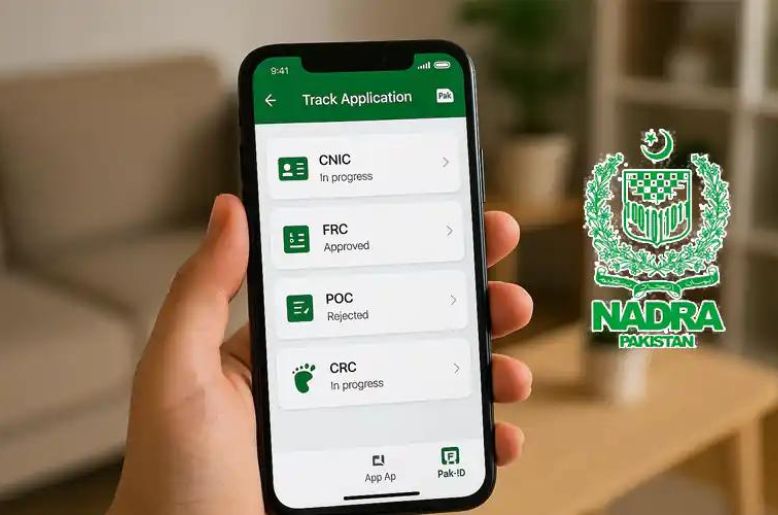
Pakistani citizens can now easily apply for NADRA CNIC renewal through Pak ID mobile application without having to visit a registration centre in many cases.
The digital service allows applicants to submit an application, provide the required information, pay the fee and track progress through their mobile phone.
NADRA’s Pak ID mobile application is designed to allow Pakistani citizens and overseas Pakistanis to access a range of identity-document services digitally. For CNICs, the app supports renewal, modification, reprint/lost-card applications and certain other services.
For a CNIC renewal, applicants can start the process from the app and follow the instructions provided on screen.
How to apply for Nadra CNIC renewal through Pak ID
1. Download or open the Pak ID app
Install the official Pak ID mobile application and sign in to your account. New users can create an account through the app. NADRA says the service is available on Android and iOS.
2. Go to the Documents section
From the home screen, open the section for identity documents.
3. Select CNIC / ID Card
Choose the CNIC or ID Card service and select the applicant for whom the renewal is being requested.
4. Choose “Renewal”
Select the Renew option and begin the application.
5. Enter and check your information
Complete the information requested by the application. Carefully check names, dates and other personal details before moving to the next stage.
6. Provide photographs, biometrics or supporting information if requested
The app will guide you through the requirements for your particular application. Some NADRA applications may require biometric verification or a visit to a registration centre where applicable.
7. Pay the NADRA fee
Once the application reaches the payment stage, select an available payment method and complete the transaction.
8. Submit the application
Review the application and submit it. Keep the Tracking ID generated for your application.
9. Track the application
Use the application’s tracking facility to monitor the progress of your CNIC request.
Pak ID online apply
The Pak ID app is NADRA’s official digital platform for applying for and managing identity-document services. NADRA says users can apply for eligible services, update information, track applications and manage related services through the mobile application.
For CNIC services, the available options include renewal, modification and reprint/lost-card services.
Applicants should use NADRA’s official website or official app rather than third-party websites when submitting identity information.
How to track Nadra ID card
Once an application has been submitted, applicants can check its progress through the Pak ID application.
To track your application:
- Open the Pak ID app.
- Sign in to your account.
- Open your application/inbox or Tracking section.
- Select the relevant application.
- Check the current status and any instructions from NADRA.
NADRA also says applicants can check the status of applications through their application inbox.
Juvenile card Nadra
NADRA also provides services for children who have not yet reached the age of 18.
A Juvenile Card is an identity document for Pakistani citizens under 18. NADRA states that children who have not attained 18 are eligible for registration under its rules.
For a new Juvenile Card, NADRA lists the Pak ID process as including:
- Downloading the Pak ID app.
- Creating an account or signing in.
- Selecting New Juvenile Card.
- Entering the child’s information.
- Uploading required documents.
- Completing any required in-person verification.
- Tracking the application through the app.
NADRA says the presence of the child is mandatory for a Juvenile Card application, and biometric/photo requirements can apply depending on age and service.
How to pay Nadra fee online
NADRA provides several payment methods, although the options available can depend on the particular service.
According to NADRA’s current payment guidance, available methods include credit card, debit card and Raast, while eSahulat, Easypaisa and JazzCash are listed for certain services such as Smart NIC and FRC.
Paying through Raast
NADRA’s instructions are:
- Log in to the Pak ID app.
- Open the Inbox.
- Find the relevant Tracking ID.
- Select Pay Now.
- Choose Generate Raast QR.
- Use the generated QR code to complete payment.
NADRA says the generated Raast QR code is valid for 30 minutes, after which a new code needs to be generated.
Current CNIC renewal fees
NADRA’s published fee structure currently lists:
| Service | Normal | Urgent | Executive |
| CNIC Renewal | Rs400 | Rs1,150 | Rs2,150 |
| Smart CNIC Renewal | Rs750 | Rs1,500 | Rs2,500 |
NADRA currently lists processing timelines of 15, 12 and six days respectively for CNIC renewal under the three priority categories; Smart CNIC renewal is listed at 31, 23 and nine days.
Fees and processing arrangements can change, so applicants should check NADRA’s official fee page before making payment.
Nadra helpline
For assistance with NADRA services, applicants can contact the authority through its official channels.
NADRA helpline: 1777 for mobile users
Telephone: +92 51 111 786 100
NADRA helpline services operates 24/7 and the department also provides an online complaint/support facility.

