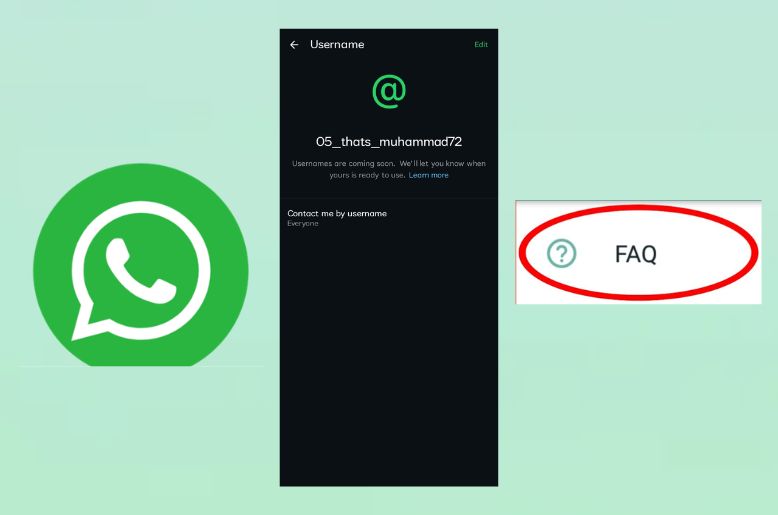
WhatsApp has released a list of Frequently Asked Questions (FAQ) regarding its new feature ‘WhatsApp username’.
According to the post on X, formerly known as Twitter, WhatsApp has answered the top questions that are being asked by users frequently, while reserving their username.
As per the post, WhatsApp has answered the following questions of the users:
Q1: Are usernames mandatory?
Answer: Nope, they are optional.
Q2: What if the username I want isn’t available?
Answer: There are a few reasons you might not be able to reserve the username you want:
1- It’s an existing Instagram or Facebook username; these are reserved for their owners.
2- We’ve held well-known names and some variations of them – like public figures, celebrities, government entities and Meta-verified accounts – so they can only be claimed by their legitimate owners. If you try to reserve those, the system will say they’re not available.
3- Someone already claimed a common name; in that case, use the username generator.
Q3: What if someone creates a username similar to mine to impersonate me or run a scam? How do you stop someone from pretending to be me?
A: Usernames are not available for messaging yet. When they are, and you get a message from someone new, we’ll let you know the country of origin and provide a warning for first-time outreach. Well-known public-figure names and their variations are held for verified owners. We’re also keeping a close eye on blocks and reports to take action against scammers.
Q4: Can random people message me if they know or guess my username?
A: Just like you can’t search for a phone number in WhatsApp, you can’t search for a username. The best way to prevent someone from contacting you is to add a username key and to choose a username that is unique to WhatsApp. All the current measures remain in place to prevent unwanted contact, including warnings with details about unknown senders (whether they’re a new account, if you share groups, what country they’re in) and the ability to block and report.
Q5: What is a username key?
A: An extra layer of protection you can enable with your username, so that another user will have to know both your username and your username key to contact you. You can reset your key at any time to stop new inbound contact through your username.
Q6: Do I have to link my other Meta accounts?
A: If you want the same username as your Instagram or Facebook account, you’ll have to link them. This is one of the ways to reduce impersonation and to make sure you’re the legitimate owner of the account. But after that, you can unlink the account if you want, or you can choose a username unique to WhatsApp.
Q7: Can I change my username later?
A: Yes, as long as the new one you want is available. One important thing to remember, some people are making false claims about reserving popular or well-known usernames – this isn’t true, only the legitimate account owners are able to reserve well-known public-figure names.
Meta has allowed users to reserve their usernames before the official launch of the feature later this year.
WhatsApp has announced a new feature, allowing users to share their username instead of their personal mobile phone number.
The new feature ‘WhatsApp Username’ will help improve user privacy.
Now, the users will be able to reserve a username for their account, which they can share with others instead of a phone number.
How to reserve Whatsapp username
Here are some easy steps to get your personal username:
- To reserve the username, users must update their WhatsApp app to the latest version.
- After doing this, go to Settings>Account>Username.
- This will take only a few seconds to create your personal username.
- Those who find it difficult to make their username can get assistance from the built-in username generator to receive suggestions for a unique username.
WhatsApp has also said that creators, businesses and organisations can use the same usernames as they already used in their Facebook and Instagram accounts.
Whatsapp username feature
The latest feature by WhatsApp allows users greater control over their personal information.
Once the WhatsApp username feature is enabled, all of the contacts in your app won’t be able to see your phone number.
As per WhatsApp, there will be no suggestions for contacting someone as we see on Facebook and Instagram; instead, the users would have to know the exact username to start a conversation with someone.
The users can also control who can contact them through their username, just like the status privacy, DP picture, last seen, and message reading privacy.
Whatsapp usernames
WhatsApp said usernames will be introduced gradually over the coming months, with users receiving an in-app notification once the feature becomes available in their country.
The company says the new system is designed to make it easier for people to connect with classmates, neighbours, community groups and others while keeping their personal phone numbers private.
Whatsapp beta
Whatsapp beta is a Meta platform used for social chatting with each other.
The platform provides numerous features, including texting each other, audio and video calling.
The users can even log in to their pc or laptop for a better experience.
You can download the app from the Google Play Store if you have an Android handset, or use Applestore in case you have an iPhone.
Those who want to use WhatsApp on their pc or laptop can download it from the Microsoft Store.
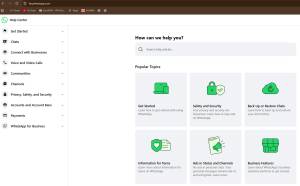
Whatsapp help centre
In case of any query related to WhatsApp, one can contact the WhatsApp help centre by going to the following link:
https://faq.whatsapp.com/
This interface will be redirected once the link is opened, and you can choose the query which relates to your problem:
Also read:
IG Punjab police issues high security alert ahead of Ashura
Read more:
Fact check: Is govt planning to collect PTA phone tax in monthly installments?